
How Can We Help?
-
Getting Started
- Customization form
- PayPal business set up
- Magento Site Manager Login
- Getting Started
- How to login to your site manager
- The Difference Between Wholesale and Retail Pricing: A Comprehensive Guide for eMerchantClub Members
- Enable & disable products
- The Importance of a Brand Logo: Why Every Business Needs One
- Amazon Pay Set Up
- How to set up Stripe Payments
-
Magento Customizations
-
Magento Products
-
Magento Customers
-
Website Promotions & Sales
-
Product Warehouses
-
Placing Product Orders
-
Marketing Center
- How to run Facebook Ads
- Facebook Posts
- How to market on eBay
- How to write a blog
- Social media marketing
- Using gift cards
- What is SEO?
- How to add a blog post
- Giftcards
- Digital Catalogs
- Integrating Amazon Pay
- Google Search Console set up
- Walmart Integration
- Fulfilling eBay Sales Using Wholesale Product Warehouses
- How to Set up a Facebook Business Page
- Guide to M2E Pro Magento to eBay Integration
- How to get more views/impressions on your eBay listings
- SEO in 2025: Essential Strategies for New Websites to Generate More Traffic and Sales
- Show all articles ( 3 ) Collapse Articles
-
Version 24 Training
-
Integrations
-
v25
-
Version 26 Training
< All Topics
Print
Seasonal visual effects
To activate your seasonal visual effects please follow these training instructions
First, login to your website manager and navigate to the left sidebar. Click on Stores > Configuration >

Next, click EMC > click Seasonal Visual Effects

Activating the seasonal visual effects is easy. Click the dropdown and select the seasonal effect you want. You can also determine the duration of the seasonal effect by adjusting the seconds in the second field

Now make sure to click Save Config

Next, clear your cache by navigating to System > Cache Management > Flush Magento Cache
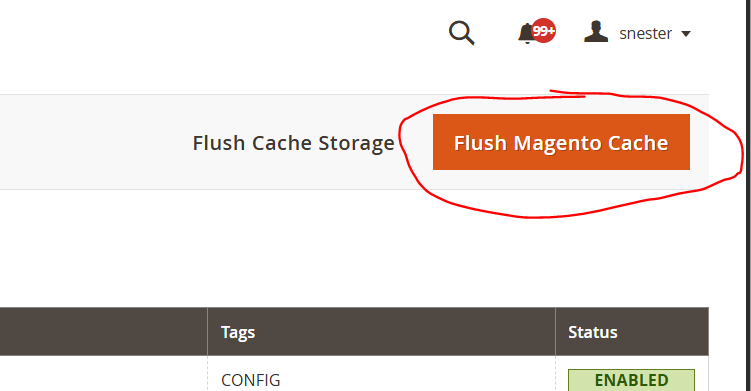
Now you can go to the front end of your website > click reload > and enjoy the new seasonal effect animation

Table of Contents